2-MINUTE ACTIVATIONNeed instant setup assistance? Our technicians on Telegram are available 24/7! Chat with VIP Support →
STEP-BY-STEP SETUP TUTORIAL

Velocia Media Installation Guide

Follow our verified device guides below to set up your 4K IPTV playlist in under 5 minutes. Works seamlessly with IPTV Smarters Pro, IBO Player, TiviMate, and XCIPTV.

Need VIP Help?Our support agents can configure your playlist remotely on Telegram: @velociamediavipbot
Amazon Fire TV Setup

How to Setup IPTV on Amazon Firestick & Fire TV

You can run Velocia Media on Firestick using IPTV Smarters Pro, IBO Player Pro, or TiviMate. Follow the detailed steps below.

1

Method 1: Install IPTV Smarters Pro (Recommended)

Step 1 of 6Search App

1. Install the Downloader App from the Amazon Appstore

From the Firestick home screen, navigate to Find > Search. Type in Downloader and select the orange Downloader app icon. Click Download or Get to install it.
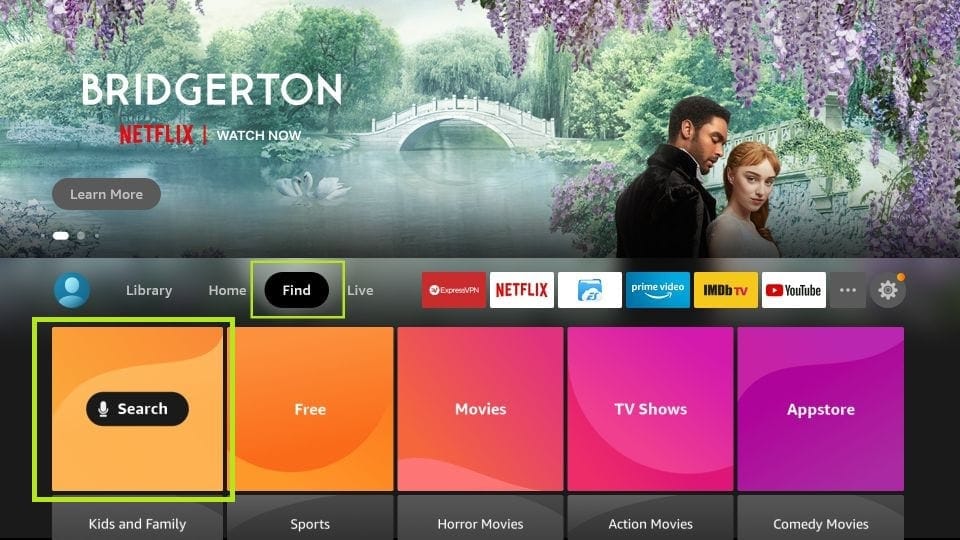
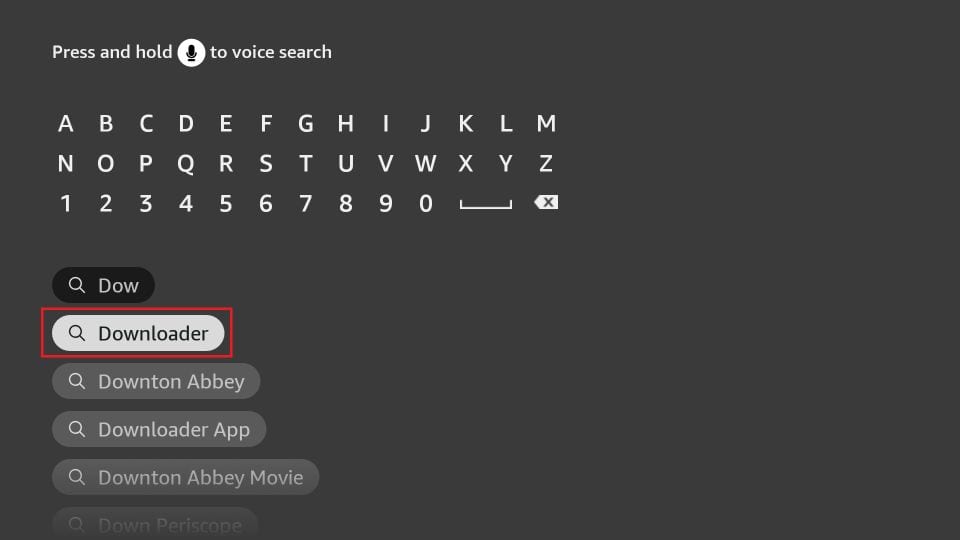
Firestick Find Search
Install Downloader App
Step 2 of 6Security Settings

2. Enable Developer Options & Unknown Sources

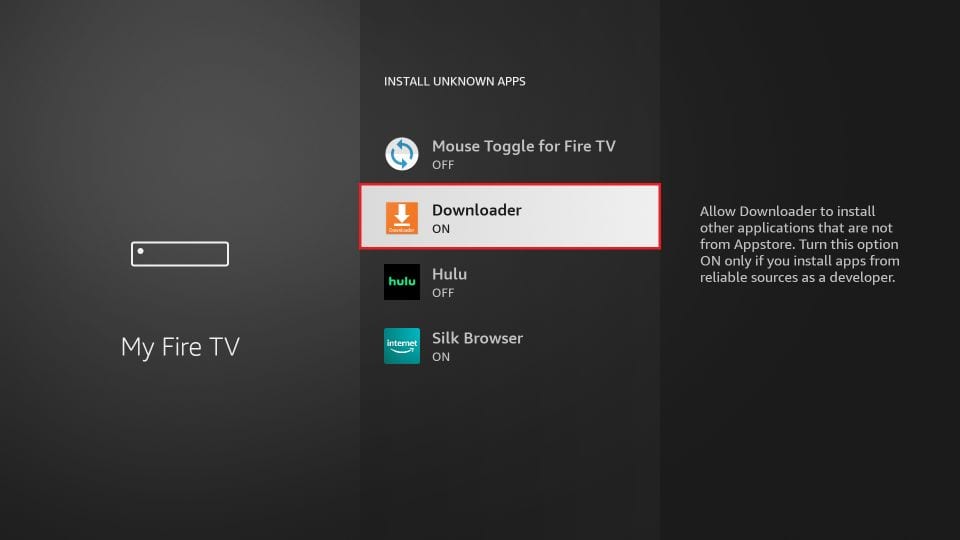
Go to Settings > My Fire TV > Developer Options. Click Install Unknown Apps (or Apps from Unknown Sources) and switch the Downloader app status to ON.
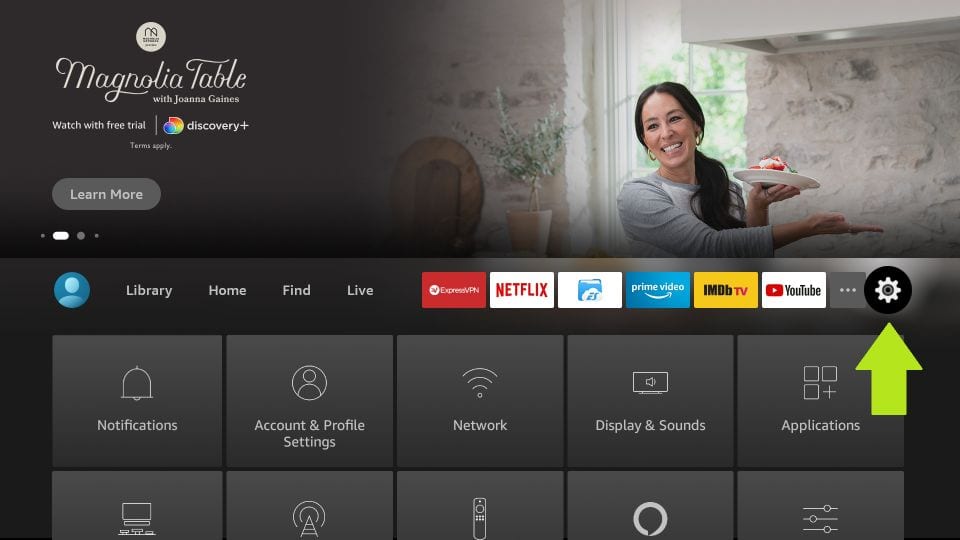
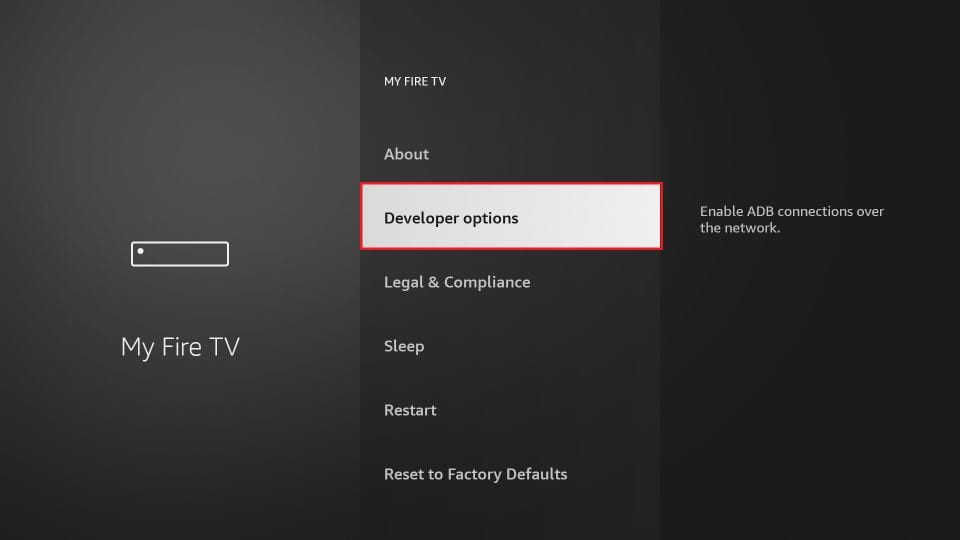
Fire TV Settings
Developer Options
Turn ON Downloader
Step 3 of 6Quick Download Code

3. Enter Downloader Code: 644142

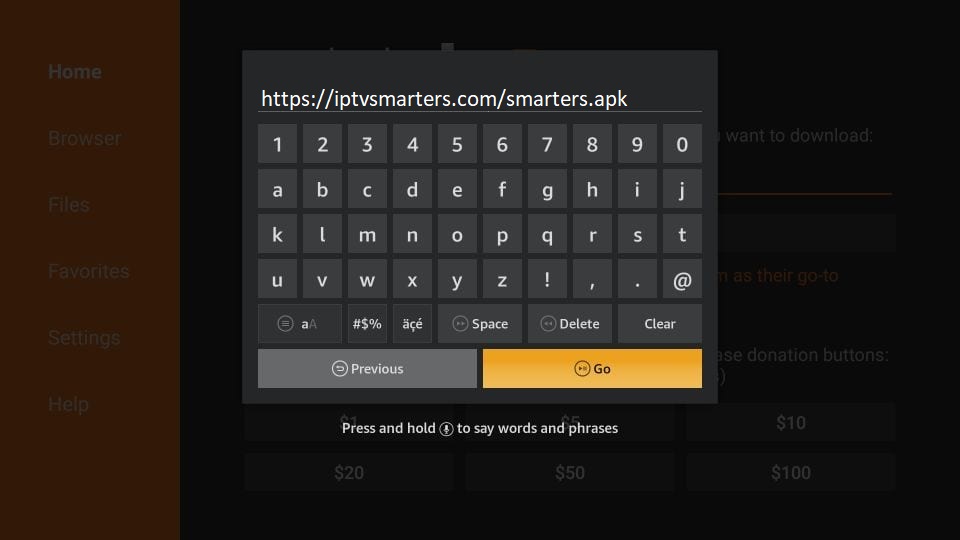
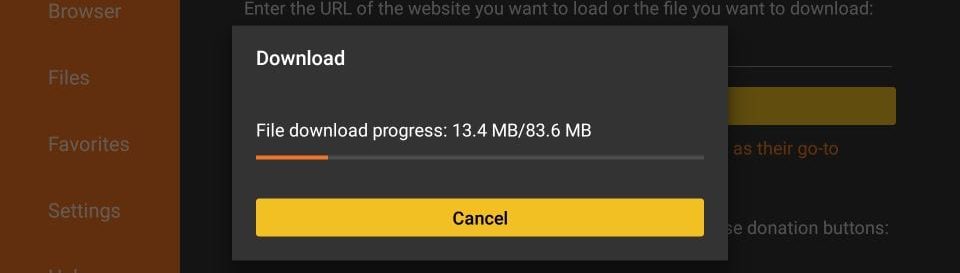
Open the Downloader app and click the URL address box on the Home tab. Simply type the official 6-digit code 644142 and click Go. The app will automatically connect and download IPTV Smarters Pro directly to your Firestick!

#
Official Downloader Code for IPTV Smarters Pro
644142
Tip: If your Downloader does not accept 6-digit short codes, you can also enter the direct link: https://iptvsmarters.com/smarters.apk
Enter Code in Downloader
Downloading Smarters APK
Step 4 of 6Installation

4. Install the App and Clean Storage

Click Install when the download finishes. Once installed, choose Done, then click Delete on the Downloader screen to remove the installer file and save Firestick internal memory.
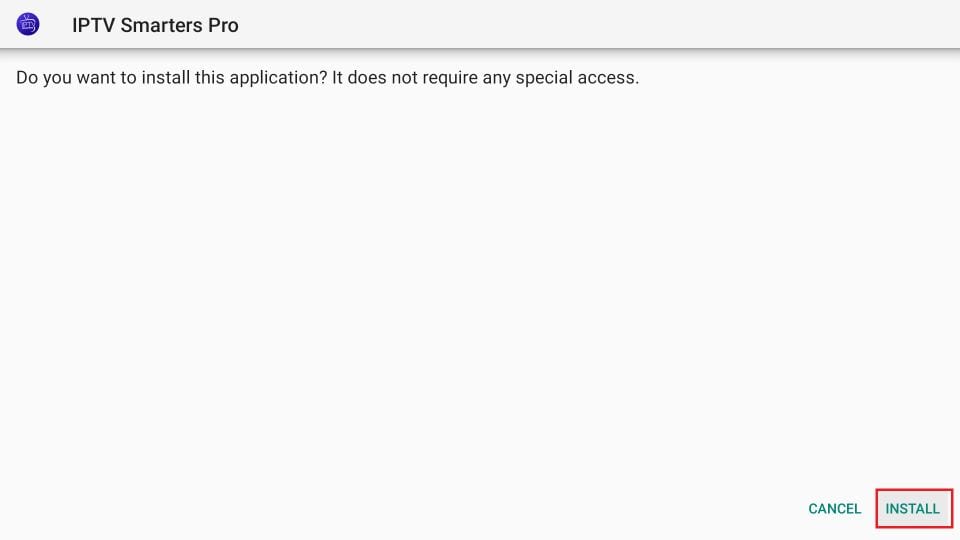
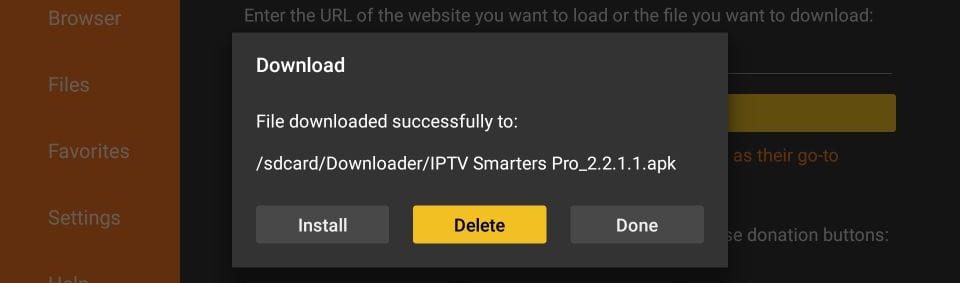
Install IPTV Smarters
Delete installer APK
Step 5 & 6 of 6Login with Xtream Codes

5. Log In With Your Velocia Media Xtream Credentials

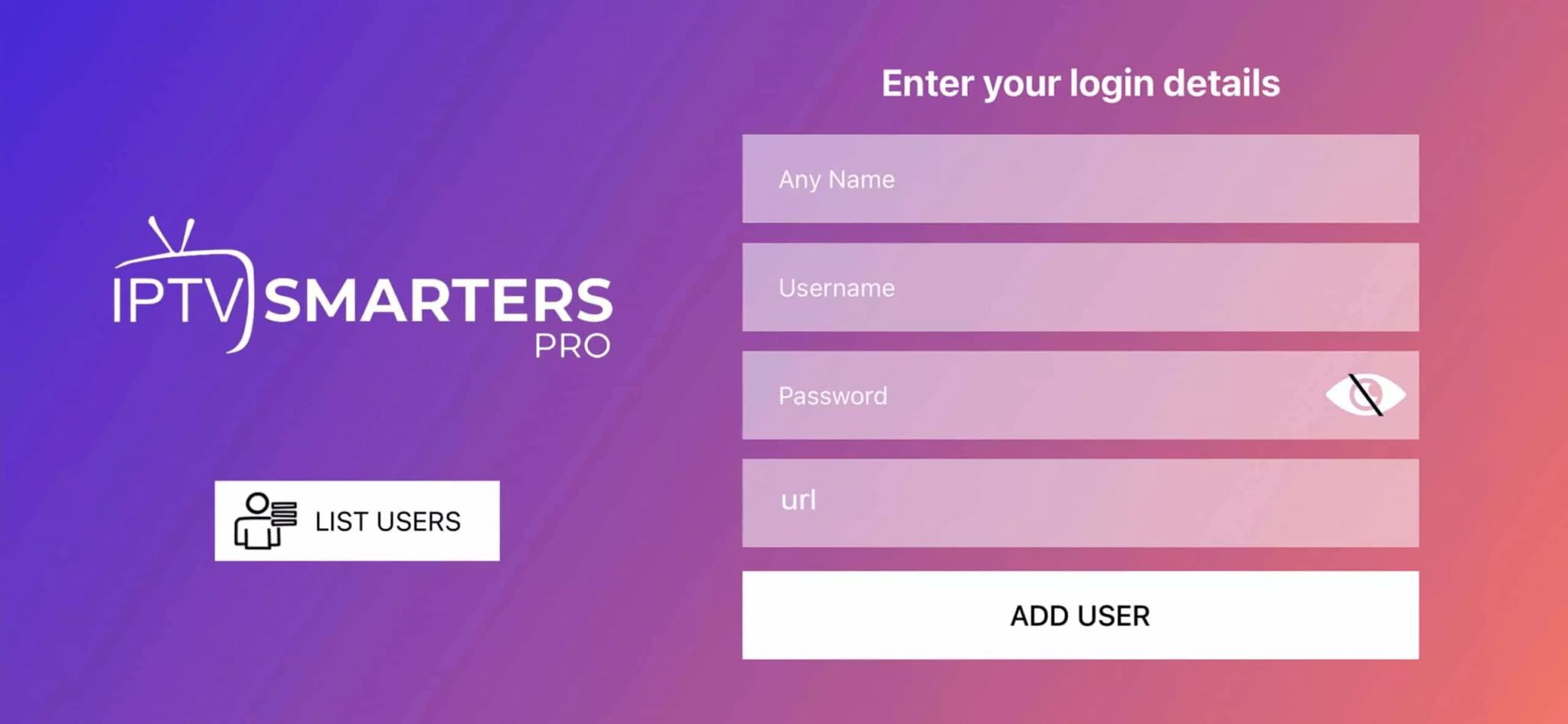
Launch IPTV Smarters Pro, accept terms, click Add User, and select Login with Xtream Codes API. Fill in the fields with your account details:
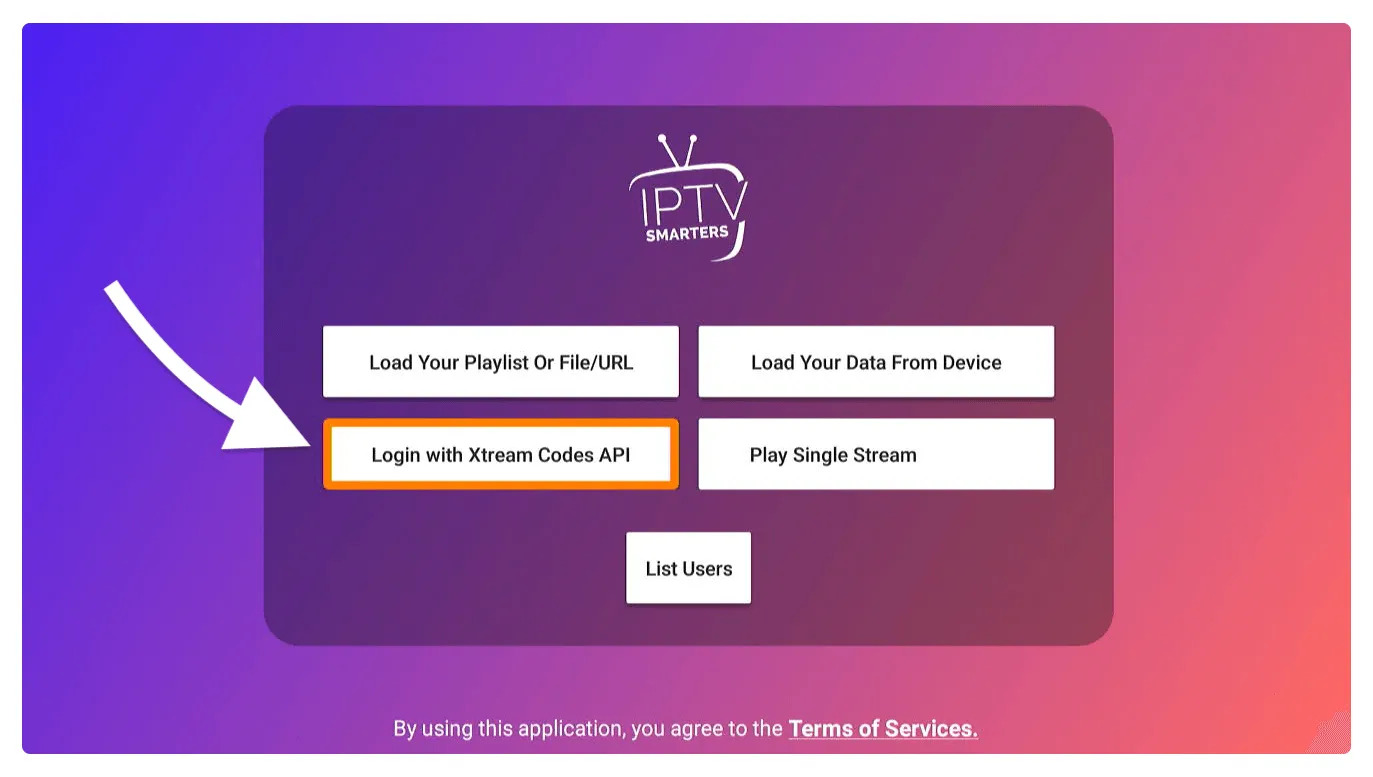
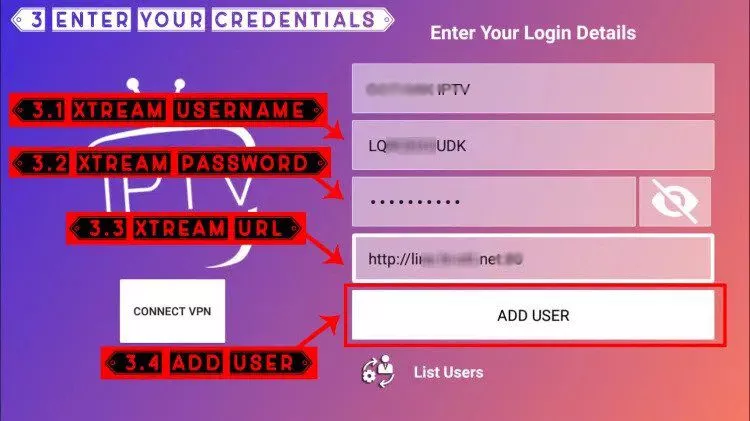
• Any Name: Velocia Media VIP
• Username: (Provided in your Telegram activation ticket)
• Password: (Provided in your Telegram activation ticket)
• Server URL: (Provided in your Telegram activation ticket)
Login with Xtream Codes
Enter Credentials
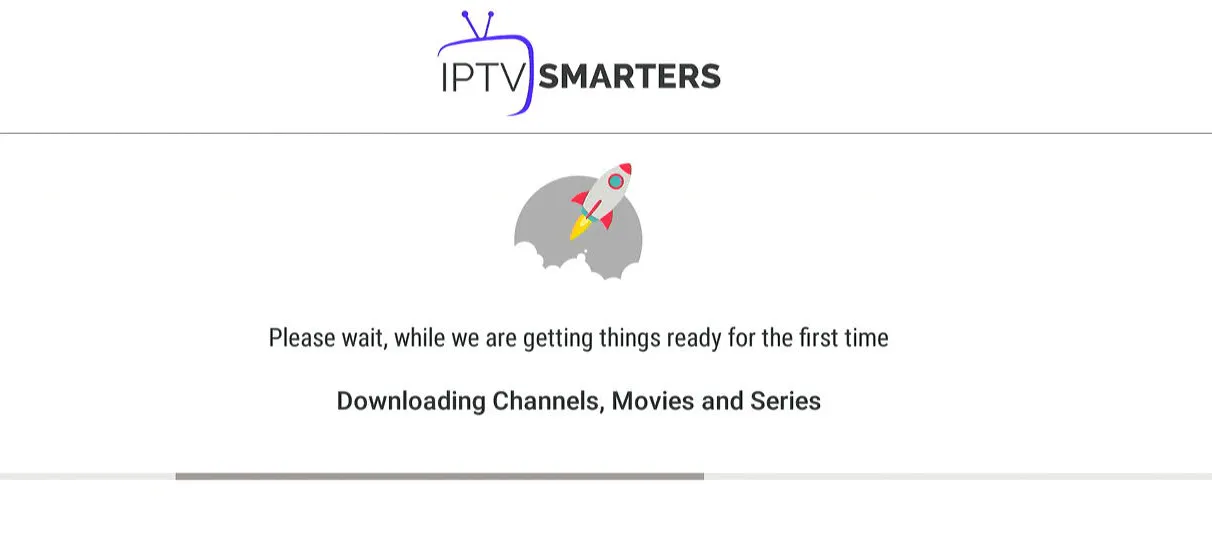
Live TV & Movies loaded
2

Method 2: Install IBO Player Pro (Downloader Code: 481220)

IBO Player Pro is an ultra-fast, premium streaming player optimized for Amazon Firestick, Android TV, Samsung Smart TV, and LG webOS.

#
Official Downloader Code for IBO Player Pro
481220
1.
In the Downloader app, enter code 481220 (or direct APK URL https://iboproapp.com/ibopro.apk) and click Go.
2.
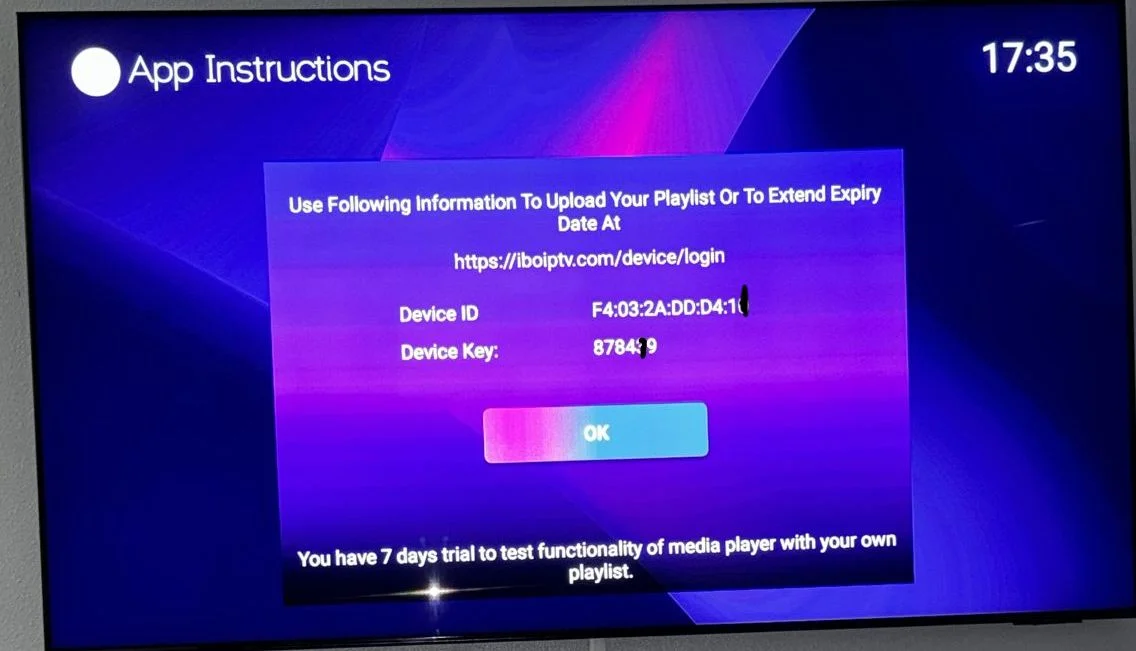
Install the application and launch it. On your screen, you will see your Device MAC Address and Device Key.
3.
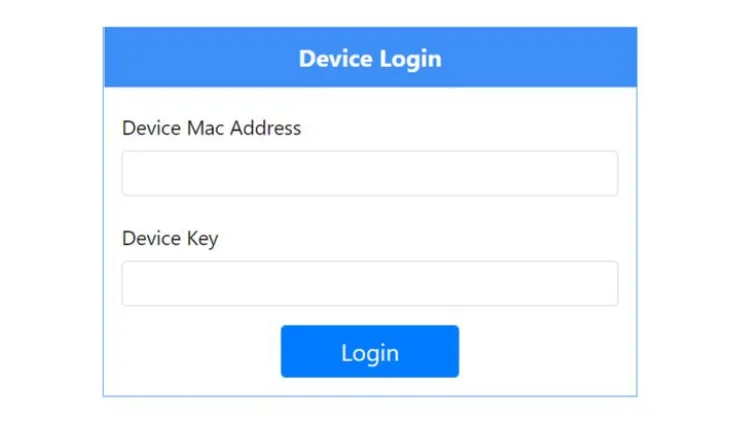
From your phone or laptop browser, visit iboplayer.com/device/login and enter your TV's MAC address and Key.
4.
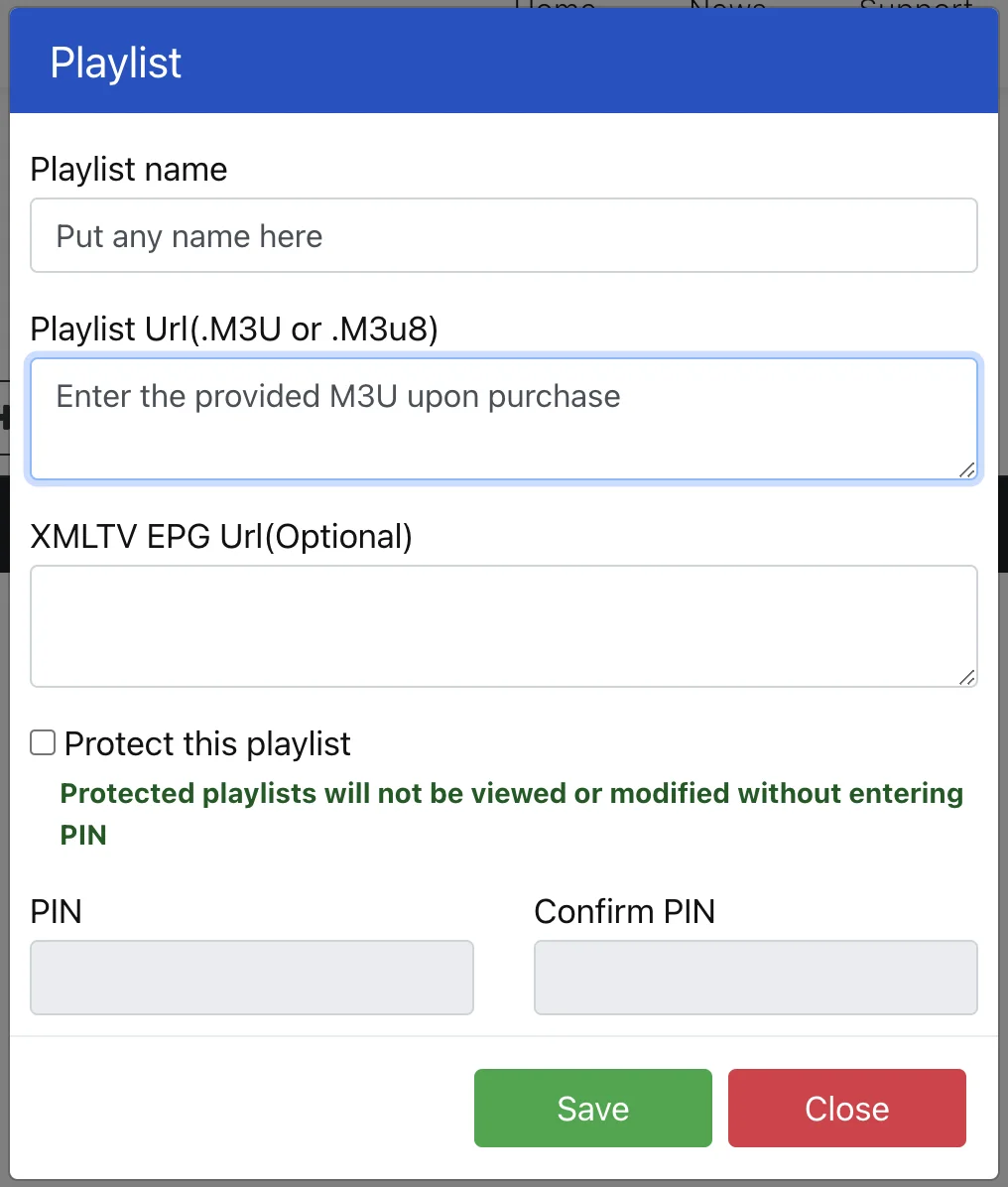
Click + Add Playlist (or + Add XC Playlist), paste your M3U link or Xtream details, click Save, and restart IBO Player on your TV!
IBO Player MAC and Key
IBO Player Web Portal Login
Add Playlist on IBO Player
3

Method 3: Install TiviMate IPTV Player (Downloader Code: 272483)

TiviMate is widely considered the cleanest, most responsive IPTV interface for Firestick and Android TV with a cable-like TV guide (EPG).

#
Official Downloader Code for TiviMate
272483
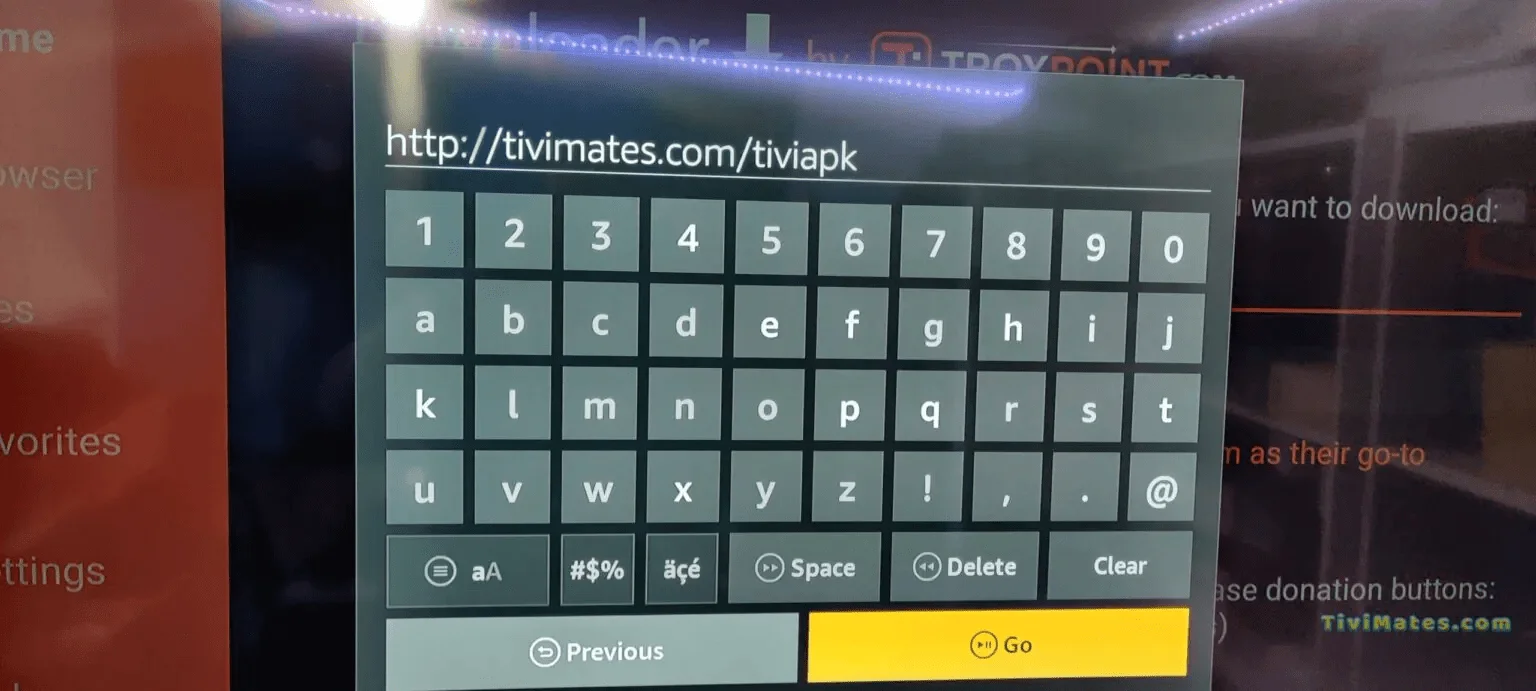
1.In the Downloader app, enter quick code 272483 (or direct URL https://tivimates.com/tiviapk) and click Go.
2.Click Install and open TiviMate once completed.
3.Click Add Playlist > choose Xtream Codes > enter your Server URL, Username, and Password provided by Velocia Media VIP Support.
TiviMate Download
TiviMate Xtream Codes

Need Live 1-on-1 Setup Assistance?

Our engineers are on standby on Telegram to guide you through installation, provide M3U links, or troubleshoot any player issue in real time.

Telegram: @velociamediavipbot